
Two GTA office projects: new concealed network drops so every desk has a nearby jack, a sorted and labelled network rack, battery backup (UPS) so the network rides through short outages, and an access reader with an entry log on the equipment room.
Property: Small offices, GTA
Completed: March and July 2026
Services: Structured cabling, network rack, access control
Installed: Concealed network drops, rack cleanup and labelling, UPS backup power, a door access reader
Office network problems tend to build up slowly. A desk gets added, a printer moves, someone runs a long cable across the floor “for now”, and a few years later nobody knows which cable does what. These two recent office jobs are typical of what we get called in to fix.
Project 1: network jacks that didn’t reach the desks
The office’s existing network jacks were in the wrong places, too far from where people actually sat. Computers, printers, VoIP phones and a camera were all connected with long cables running across the floor.
We ran new concealed cable to each work area, inside the walls and ceiling with nothing surface-mounted, so every device plugs in where it’s used. No more cables under chairs, and no more tripping over the printer line.
Project 2: a messy rack, no backup power and an open equipment room
The second office had three problems that often show up together:
- Tangled network and camera cabling. Hard to troubleshoot and easy to unplug by mistake. We brought everything into the rack, sorted it and labelled every run, so a fault can be traced in minutes instead of an afternoon.
- No backup power. A short power blip took the whole network down. We added a UPS (battery backup) for the network equipment so it rides through brief outages.
- Anyone could walk into the equipment room. We added access control on that door, with a log of who went in and when.
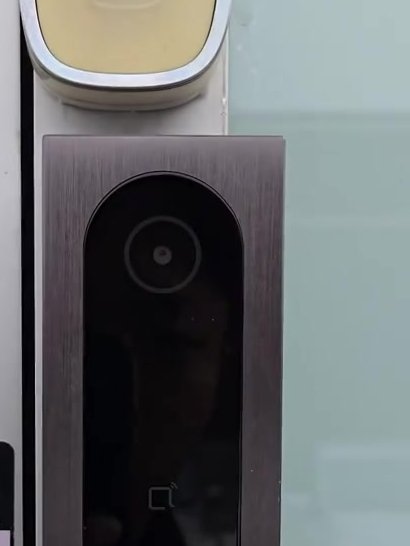
About the access reader
For small offices we usually install Akuvox readers. They run on PoE (power over the network cable, so no separate power supply at the door), carry no monthly fee unless you want cloud storage, and can open by phone, NFC, card, fob, PIN code or Bluetooth. Many models can also record attendance, which some offices use instead of a separate punch clock.
The main practical benefit over keys: when someone leaves, you delete their access in a minute instead of changing the locks.
Result
Fewer cables on the floor, a rack anyone can make sense of, a network that keeps running through a short outage, and a record of who goes into the equipment room.
Office network giving you trouble?
We do cabling, Wi-Fi, cameras and access control for offices across the GTA, and can work after hours so your team isn’t interrupted. Call (647) 588-9688 or book a site visit.
Related: structured cabling · access control · business Wi-Fi · commercial solutions · more projects