
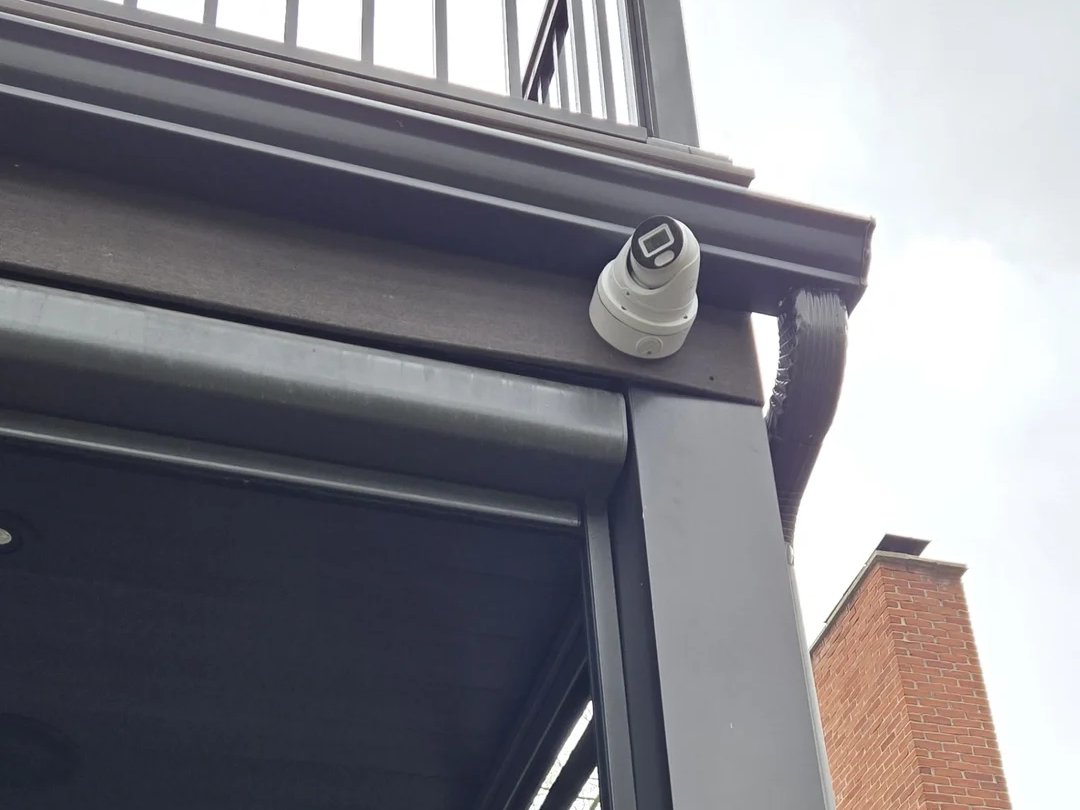
Black, foggy or washed-out night footage usually has a simple cause: spider webs or dust on the lens, infrared glare bouncing off a nearby soffit or wall, a failed IR-cut filter or IR LEDs, or not enough power. Each has a straightforward fix.
The daytime picture looks great, but at night the image is black, washed out, foggy or full of white glare. Night vision problems are one of the most common service calls we get, and most of them come down to a handful of causes. Work through this list before you replace anything.
First: how camera night vision works
Most security cameras see in the dark with infrared (IR) LEDs around the lens. Your eyes can’t see that light, but the camera can, which is why night footage is black and white. At dusk, the camera switches to night mode and a small filter inside the lens (the IR-cut filter) moves out of the way.
Many newer cameras also offer colour night vision, using a very sensitive sensor and a small white light instead of infrared. These need at least a little light to work, from a porch light, a street light or the camera’s own light.
1. Glare from the soffit, wall or eave
Symptom: a bright white haze over part of the image, or the whole picture looks foggy at night but fine during the day.
Cause: the camera’s infrared is bouncing off something close to the lens: the soffit, a wall, the gutter or the edge of the eave. This is the number one cause we see, usually because the camera was mounted tight against a surface or angled too far up.
Fix: tilt the camera down and away from nearby surfaces, or move it slightly out from the wall. Check that the lens isn’t recessed inside the mount.
2. Camera behind a window
Symptom: at night you only see a reflection of the camera’s own lights.
Cause: glass reflects infrared straight back into the lens.
Fix: there’s no setting that fixes this. Turn the camera’s IR off and rely on outside lighting, or move the camera outdoors.
3. Spider webs, dust and bugs
Symptom: blurry streaks, moving shapes or constant false motion alerts at night.
Cause: infrared attracts insects, insects attract spiders, and a web right in front of the lens lights up brightly in IR.
Fix: clean the lens and housing with a soft cloth. Check again after a few weeks in summer.
4. Water, condensation or a dirty dome
Symptom: foggy image, worst on cold or humid nights.
Cause: moisture inside the housing, or a scratched or dirty dome cover scattering the light.
Fix: clean or replace the dome cover. Moisture inside usually means a failed seal, so the camera needs to be serviced or replaced. Unsealed cable connections outdoors are another common culprit we find on older installs.
5. Image completely black at night
Possible causes:
- Infrared turned off in the camera or recorder settings. Check that the day/night or IR mode is set to “auto”.
- Not enough power. IR LEDs draw extra power at night. A long cable run, an overloaded PoE switch or a weak power adapter can make the camera reboot or drop the IR when it switches to night mode. If a camera goes offline only at night, suspect power first.
- Dead IR LEDs. They do wear out. Look at the camera in the dark with your phone’s camera; you’ll often see a faint red glow if the LEDs are working.
- Colour night-vision camera with no light. These cameras need some light. Turn on the camera’s built-in light or add a porch light.
6. Pink or purple picture during the day
Cause: the IR-cut filter is stuck in night position. Rebooting the camera sometimes frees it; otherwise the camera needs to be replaced.
7. Faces washed out at night
Cause: the person is too close to the camera, so the infrared overexposes them, or a bright porch light behind them throws the exposure off.
Fix: enable “smart IR” or backlight compensation (WDR) in the settings, mount the camera a little further from the door, or adjust the angle so it isn’t looking straight into a light.
8. Camera flickering between day and night mode
Cause: a light switching on and off near the camera, such as a motion light, car headlights or the camera’s own IR reflecting back, keeps fooling the light sensor.
Fix: adjust the day/night sensitivity or set a fixed schedule for night mode.
When it’s time to replace the camera
If you’ve cleaned the lens, adjusted the angle and checked the power, and the night image is still poor, the camera may simply be too old or too basic. Low-cost cameras often have weak IR and small sensors. Modern 4K cameras and colour night-vision models give dramatically better night footage, and night is usually when you need clear footage most.
Frequently Asked Questions
Why does my camera look fine in the day but blurry at night?
Usually infrared reflecting off a nearby soffit or wall, a spider web, or a dirty dome cover. Clean the lens and angle the camera away from close surfaces first.
How far can security camera night vision see?
It varies widely by model, typically from about 20 to over 50 metres according to manufacturer specifications. Real-world range is shorter if there’s glare or rain.
Is colour night vision better than infrared?
Colour helps identify clothing and vehicle colours, but it needs some light. Infrared works in total darkness. Many installs mix the two depending on the location.
Can you fix night vision on a system someone else installed?
Yes. We regularly troubleshoot and repair systems installed by other companies.
Still seeing black or foggy footage at night? Call (647) 588-9688 or send us a screenshot and we’ll tell you whether it’s a quick fix or a replacement. See also: security camera installation · upgrading old Wi-Fi or DVR cameras to PoE.