
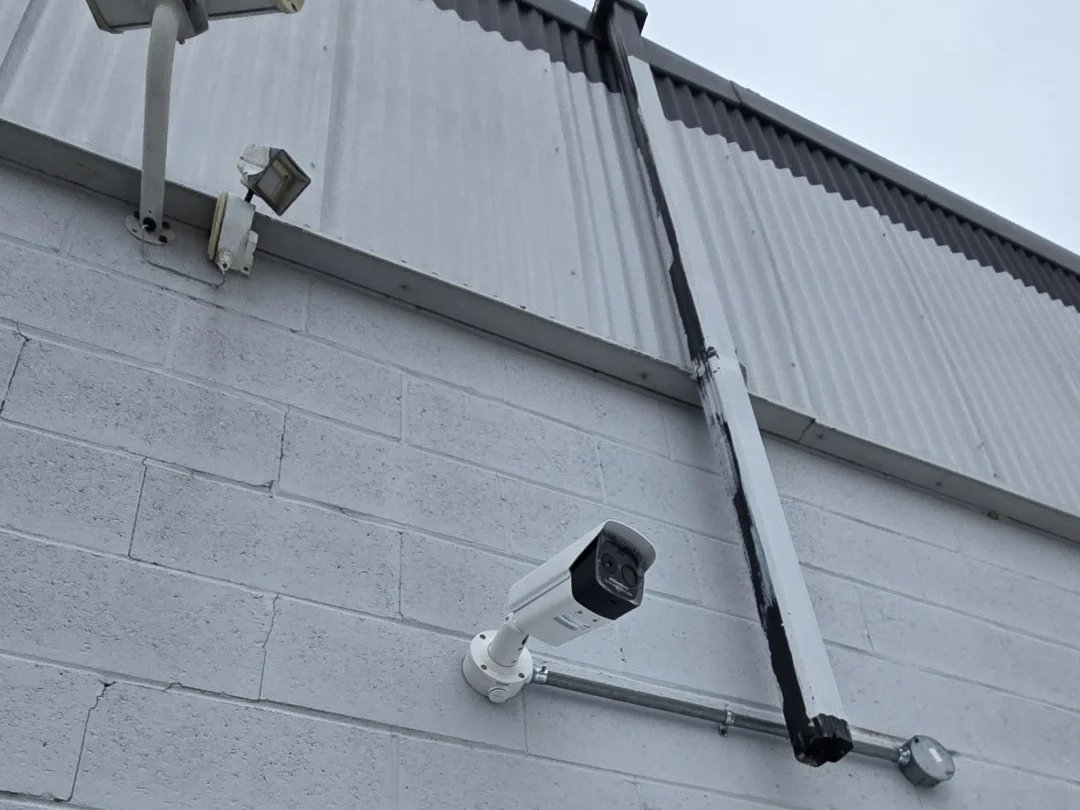
Wi-Fi cameras drop offline and old DVR systems look blurry. A wired PoE system fixes both by carrying power and video over one network cable to a recorder. Existing coax can sometimes be reused, and storage should match how many days you need.
“My Wi-Fi cameras keep going offline.” “The old DVR is so blurry I can’t read anything.” These are two of the most common reasons people call us. In most cases the fix is the same: replace the cameras with a wired PoE system. Here’s why, what’s involved, and when you can reuse what’s already on the wall.
Why Wi-Fi cameras drop out
- Walls and distance. Brick, stucco, concrete and foil-backed insulation all block Wi-Fi. A camera on the far corner of the garage is often at the edge of the signal.
- A busy network. Every camera streams video constantly. Add phones, TVs and laptops, and the cameras are competing for the same airtime.
- Batteries and cold. Battery cameras need recharging, and Canadian winters shorten battery life. Many battery cameras also wake up only on motion, so they miss the first seconds.
- Subscriptions. Many Wi-Fi cameras keep footage only in the cloud, behind a monthly fee.
What PoE means
PoE (Power over Ethernet) sends power and video over one network cable. Each camera has one Cat6 cable running back to a recorder (NVR) or a PoE switch. No batteries, no separate power adapter at the camera, no Wi-Fi involved.
- Cameras stay online as long as the recorder has power. Add a small backup power supply and they ride through short outages.
- Footage records locally to a hard drive. No monthly fee unless you choose cloud backup.
- You still watch everything live and play it back from your phone.
Upgrading from an old DVR and coax cameras
Older systems usually use a DVR with coaxial (round, TV-style) cable to each camera. You have three options:
- Replace the coax with Cat6. The best result. Often the old coax can be used to pull the new cable through the same path, which keeps the job neat.
- Reuse the coax with adapters that send network signal and power over the existing cable. Useful when the old cable runs through finished walls that would be hard to open.
- Keep the coax with HD-over-coax cameras. Cheaper, but you stay on an older technology with fewer features.
We check the condition of the existing cable and how it’s routed before recommending one of these.
Adding cameras without new cable runs
Sometimes there’s a cable to one location but you want three cameras there. On one restaurant job the owner asked us more than once not to run any visible wiring. We used a 4-port PoE splitter at the end of an existing run to power several new cameras from one cable, with nothing new showing in the dining room.
How much storage do you need?
As a rule of thumb from our installs, seven 4K cameras on a 4 TB drive keep about one week of continuous footage. Fewer cameras, lower resolution or motion-only recording stretch that further. Hard drive prices have risen sharply in 2026, so we size the drive to how far back you actually need to look rather than defaulting to the biggest one.
A word about the cheapest PoE kits
You’ll see boxed kits with a 4-channel recorder, four 4 MP cameras and a 2 TB drive for about the price of a single 4 TB hard drive. They record, and they have basic infrared night vision, but that’s about it: no reliable person or vehicle detection, weak night images and limited app features. We don’t recommend them for most homes. If you’ve already bought one, we’ll still install it and tell you honestly what to expect.
What an upgrade involves
- We look at the existing cameras, cable routes and where the recorder can go.
- We recommend which cable to reuse, which to replace and which camera spots to change.
- We remove the old cameras, run or reuse cable, tidy up the old mounting points and install the new system.
- We set up the app on your phone and show you how to find and export footage.
Frequently Asked Questions
Can I keep my old cameras and just change the recorder?
Only if the cameras are compatible with the new recorder. Most old analog cameras aren’t compatible with an IP (PoE) recorder. We’ll check the model numbers.
Is PoE really better than Wi-Fi for cameras?
For fixed outdoor cameras, yes in almost every case: more reliable, no batteries, no subscription. Wi-Fi cameras still make sense where running cable is impossible.
Will you have to open my walls?
Usually not. We use the attic, basement ceilings and the old cable path wherever possible, and tidy up the old mounting points.
Do you take over systems installed by another company?
Yes. We regularly service and upgrade systems whose original installer is no longer around.
Tired of cameras going offline? Call (647) 588-9688 or send us a photo of your current setup. See also: security camera installation · structured cabling.